

JSON Machine Control Device
JSONMachineControl Device allows for the querying of machine list and machine status via JSON.
Telnet setup
Section titled “Telnet setup”A JSONMachineControl Device requires the use of Telnet. Follow these steps to properly configure the Disguise server for Telnet communication:
- Enable Telnet by navigating to Control Panel > Programs > Turn on Windows Features > Telnet Client.
- Click on the link telnet://127.0.0.1:9864.
- To get the name of the machine, enter:
{"query":{"q":"machineList"}}. - To get the framerate, enter:
{"query":{"q":"machineStatus hostName"}}.
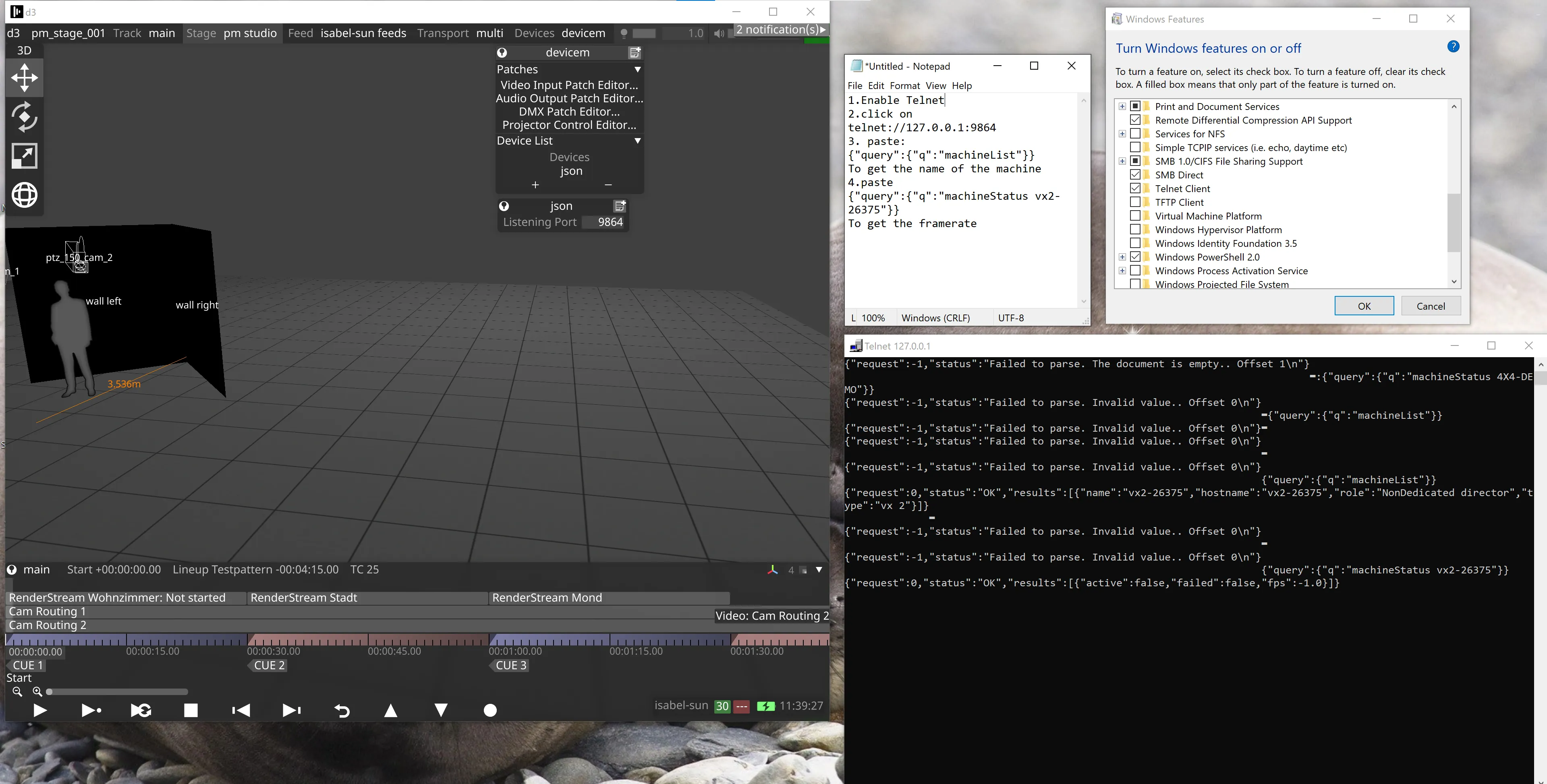
Using Live framerate is recommended. The following Python script can be used to retrieve the Live framerate:
import jsonfrom telnetlib import Telnetfrom socket import gethostbyaddrhostIP = "127.0.0.1" # stick the server IP hereport = 9864host_name = gethostbyaddr(hostIP)print(f'd3 name is: {host_name[0]}')q = '{"query":{"q":"machineStatus ' + host_name[0] + '"}}'print(f"sending - {q.encode('ASCII').decode('ASCII')} - to {host_name[0]}")def readFPS(): with Telnet(hostIP, port) as tn: tn.write(q.encode('ASCII') + b'\r\n') buf_as_dict = json.loads(tn.read_until(b"}]}")) return buf_as_dict['results'][0]['fps']if __name__ == '__main__': while True: fps = readFPS() print(fps)Creating a JSONMachineControl Device
Section titled “Creating a JSONMachineControl Device”A JSONMachineControl device is created in the same way as any other device type. See Creating Devices for step-by-step instructions on how to create a device, then select JSONMachineControl from the menu of different device types. This will open the device editor (explained below).
JSONMachineControl Device properties
Section titled “JSONMachineControl Device properties”
Listening Port
Section titled “Listening Port”The TCP port the device listens on for incoming Telnet queries. Defaults to 9864.
JSONMachineControl queries
Section titled “JSONMachineControl queries”Machine list: {"query":{"q":"machineList"}}
Returns a list of dictionaries containing information about each machine: d3 name, hostname, role, and machine type.
Example return:
{"request":0,"status":"OK","results":[{"machine":"4x4-DEMO","hostname":"4X4-DEMO","role":"Dedicated director","type":"4x4pro"}]}Machine status: {"query":{"q":"machineStatus 4X4-DEMO"}}
Returns extra information about a machine: session status, failover status, and current FPS.
Example return:
{"request":0,"status":"OK","results":[{"active":true,"Failed":false,"fps":32.345558166503909}]}