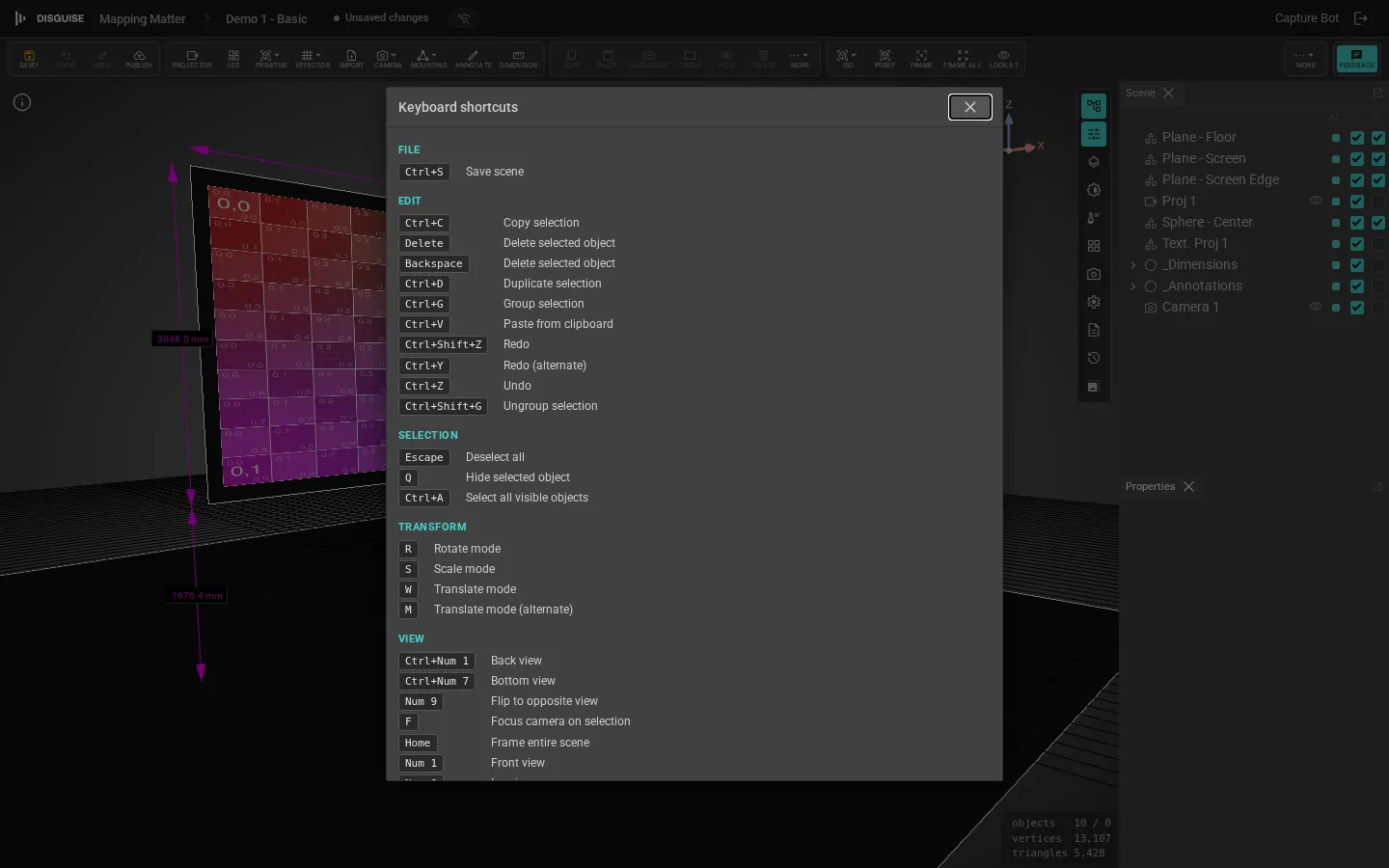
Press F1 at any time inside the editor to open the in-app shortcut reference. This page mirrors that reference for offline browsing; the in-app dialog is generated from the same registry that drives the handlers, so it can never drift.
Frame all (or reset camera to its home pose if nothing is framable)
G
Toggle scene grid
The numpad keys follow the Blender convention. Each ortho view auto-frames the scene after switching. All numpad shortcuts also fire from the top-row digits (0–9), so laptops without a numpad can drive them too. The in-app reference still shows the “Num …” labels for consistency.
Shortcut
Action
Num 0
Perspective view
Num 1
Front view
Ctrl+Num 1
Back view
Num 3
Right view
Ctrl+Num 3
Left view
Num 7
Top view
Ctrl+Num 7
Bottom view
Num 2 / Num 8
Orbit view down / up (15°, perspective only)
Num 4 / Num 6
Orbit view left / right (15°, perspective only)
Num 5
Toggle ortho / perspective (remembers the last ortho view)
Num 9
Flip to the opposite ortho view (Front ↔ Back, etc.)
The toolbar View dropdown applies the same auto-frame behaviour when you pick an ortho view from it.